
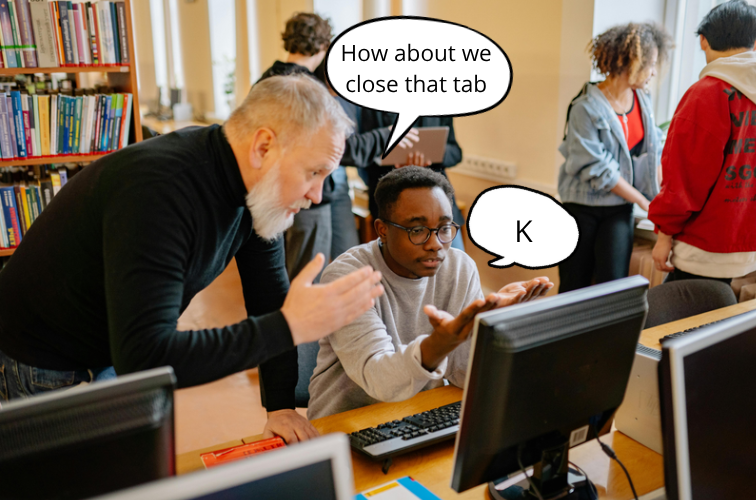
The strong GoGuardian-Teacher duo once again executed one of its favorite actions: blocking websites and limiting tabs. One of their favorite things to do is stalk students’ screens and temporarily lock their browsing until the period is over, then “forget” to unlock their computer.
It is 2:30 p.m., post lunch. The teacher is tired, students are tired and everyone just wants to go home. Nobody wants to do the seven-page Advanced Placement (AP) Biology Gel Electrophoresis lab or learn how to solve water potential problems, so the last resort is to open secret, unblocked games.
One person at the back table is on an underground website to play Papa’s Pizzeria while another is trying to get into Cool Math Games and play Slope (unblocked).
“I found Papa’s Pizzeria by searching up ‘un’ space ‘block’ space ‘ed’ since searching up the term ‘unblocked’ is blocked,” an anonymous student said.
According to that student, in order to bypass the new GoGuardian blocking system, one must search up “un block ed,” then scroll to the eighth search page, do a backflip and plug in an artificially generated code to a secret popup all while keeping under the teacher’s radar.
“Honestly, playing these games while the teacher is talking really helps everything sink in,” they said. “It’s like a good way to help you lock in.”
Suddenly, a tab is closed, a screen is locked and another chromebook is slammed. Oh no! Now they have to actually pay attention. Student – 0. Teacher – 1.
Unblocked games are the ultimate warzone for students and teachers, not only in the last periods of the day. Some students want the class to pay attention while others need a break from paying attention. It is an ongoing, back and forth battle that began when the district issued chromebooks.
Dating back all the way to the first use of Chess.com in the district, schools had to curate tons of emails every year regarding these distracting websites and how teachers are sick of having to constantly close these tabs. Did these emails do anything? Absolutely not. They went straight to spam. To be honest, parents do not care as long as their child has straight As.
“I lowkey just switch tabs or quickly close it so the teacher doesn’t see me,” another anonymous student said. “Even if they do end up closing my tabs, I don’t really care because I can just reopen them — doesn’t really affect me.”
The student is also able to tell when teachers are using Go Guardian to monitor their screens.
“There’s a blue icon next to my search bar that lights up if my teacher is using GoGuardian,” they said. “So I keep one eye next to my search bar and the other on my game to maximize tab-closing speed, just in case I might get in trouble.”
When these students were asked how they planned to make up for missing class time, most shrugged and claimed they would complete the work at home — without ChatGPT, of course.
“I’m literally just going to watch Heimler’s History at home anyways to teach myself, so I’m going to play games if I want to,” a student in AP United States History said.
If anything, being able to close game tabs at lightning speed should be on the requirements for teachers when applying.
“I don’t know why these kids are always distracted,” one teacher said. “It’s honestly really tiring and I’ve just given up.”
Teachers have tried too many times to get rid of these games, but have failed miserably every time. Absolutely no exhausted and overworked teacher is going to stop a tired student from opening the New York Times Strands.
Districts might think they have all the strategies when it comes to blocking games from chromebooks, but, for students, if there’s a will, there’s a way. Students are always determined to spend more time finding out how to access unblocked games than actually study for their AP Physics 1 final.